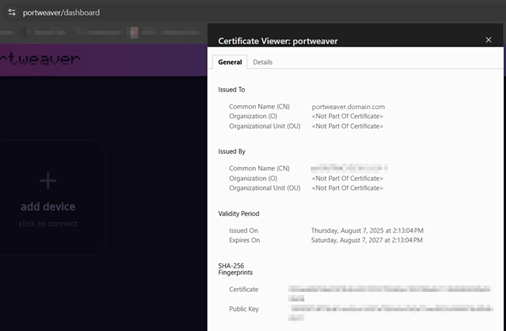
Nginx Setup
Request Certificate
Section titled “Request Certificate”First open:
certlm.msc(Local Computer Certificates) and request a new certificate.
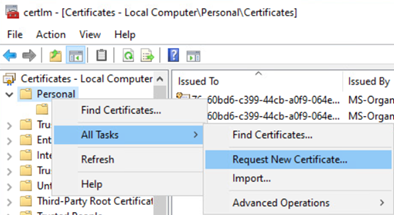
Enrollment Policy
Section titled “Enrollment Policy”Ensure the AD Enrollment Policy is specified so it will be fulfilled by the CA.
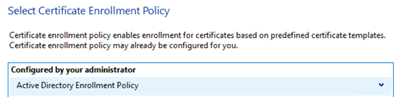
Configure Certificate
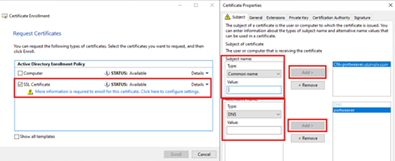
Section titled “Configure Certificate”- Check SSL certificate
- Click:
more information is required… click here to configure-
Add:
- CN
- DNS record
-
Click OK on Certificate Properties
-
Click Enroll on the original menu
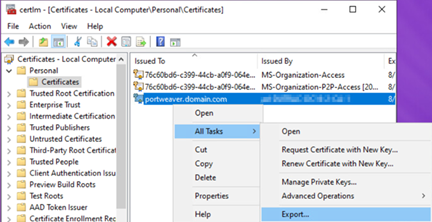
Export Certificate
Section titled “Export Certificate”After the certificate is created:
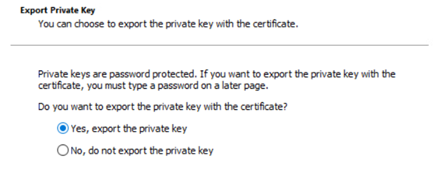
- Right-click → Export
- Include the private key
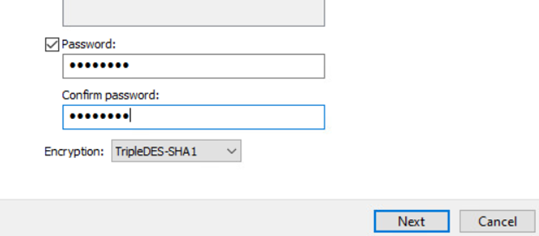
- Set a secure & memorable password
Convert Certificate
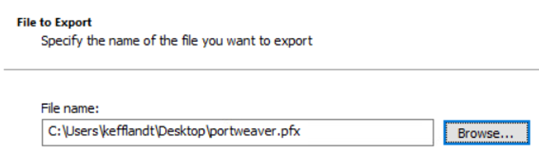
Section titled “Convert Certificate”Take the generated .pfx file and convert it to .pem using OpenSSL:
openssl pkcs12 -in portweaver.pfx -out portweaver.pem -nodesYou will be prompted for the password set during export.

Move Certificate
Section titled “Move Certificate”The generated:
portweaver.pemmust be moved to:
..\nginx\conf\certs\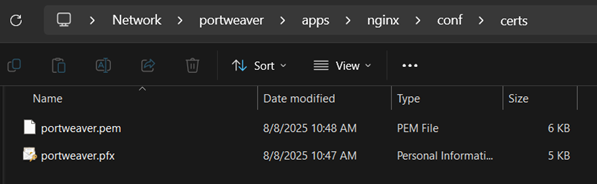
Final Verification
Section titled “Final Verification”After this is configured:
- Restart the server
- Launch Portweaver using:
launch.bat- Open:
https://portweaver.domain.com- Verify:
- Certificate is allowed
- Connection is secure