Windows Server Setup
Additionally, you can download a setup package to speed up deployment:
This includes:
- Directory structure
- Launch script
- Example Nginx configuration
Directory Structure
Section titled “Directory Structure”Recommended layout:
C:\portweaver\├── launch.bat└── bin\ └── portweaver-server.exeSystem Setup
Section titled “System Setup”In a Windows Server environment, no dependencies are required to run portweaver-server.exe. Only one script is required from the root directory:
launch.bat
Section titled “launch.bat”- Starts Portweaver and nginx
- Manages their lifecycle
- Must be accessible and allowed through the network
Reverse Proxy and SSL
Section titled “Reverse Proxy and SSL”Portweaver runs on an HTTP-only Uvicorn server. SSL cannot be integrated directly into the binary.
To provide secure access:
nginxis used as a reverse proxy- HTTPS is terminated at nginx
- Traffic is forwarded internally to Portweaver
Configuration Files
Section titled “Configuration Files”Configuration files are located in:
..\bin\appdata\storageNetworking and Hosting
Section titled “Networking and Hosting”By default, Portweaver runs on:
0.0.0.0:8080This means that by default, it listens on all interfaces over HTTP.
Nginx Configuration
Section titled “Nginx Configuration”Nginx is responsible for:
- Serving HTTPS on port 443
- Redirecting HTTP (80 → 443)
- Forwarding traffic to Portweaver on 8080
The configuration file is located at:
..\..\nginx\conf\nginx.confFirewall Configuration
Section titled “Firewall Configuration”The internal Portweaver port (8080) must not be exposed externally.
Only nginx should be reachable from outside the server.
Required Rules
Section titled “Required Rules”-
Allow:
- TCP 80 (HTTP → redirect)
- TCP 443 (HTTPS)
-
Block:
- TCP 8080 (external access)

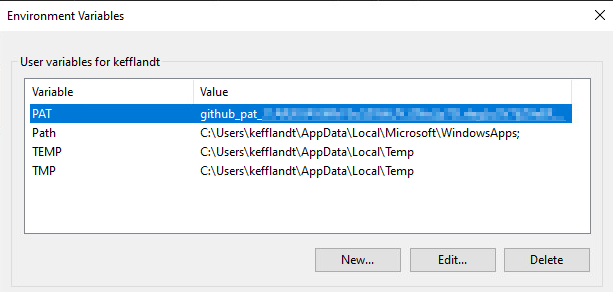
Environment Setup
Section titled “Environment Setup”Ensure the runtime environment is correctly configured before launching the application.
Summary
Section titled “Summary”- Use
launch.batto run Portweaver and nginx - Do not move encrypted configuration files
- Use nginx for all external traffic
- Restrict direct access to port 8080
This setup helps to ensure a secure and stable deployment in a Windows Server environment.